HSF Training Center
One stop platform to access all the resources related High Energy Physics by HSF Training group-CERN

About

There is a large number of training resources for newcomers in the field of High Energy Physics. The HSF Training group together with IRIS-HEP has started to compile a curriculum of such training modules that helps to get beginners up to speed quickly. However, the current listing in the form of a static table is quickly becoming overwhelming, and we cannot include many resources because of space limitations.
This project is about creating a new training center that turns the static page into a dynamic list of training content that can be filtered by attributes such as programming language, common tasks, type of training, HEP experiment, etc.
This project was supposed to be included into the GSoC'23 program. But due to lesser priority over other project under CERN-HSF, this project was not selected for the GSoC'23 program. Though the mentor was really interested in the project. He compliments my proposal and told me to work on this project irrespective of the GSoC program and first I though what will I get by working on this project if not for GSoC. But then I realize that this is an opportunity to work with people working at the very father of the Internet CERN. So I decided to work on this project anyways.
Tech Stack

Gatsby is an open-source static site generator built on top of Node.js using React and GraphQL.

It is a programming language and core technology of the Web, alongside HTML and CSS.

Node.js is a cross-platform, open-source JavaScript runtime environment that can run on a local machine.

Figma is a vector graphics editor and prototyping tool which is primarily web-based, with additional offline features enabled by desktop applications for macOS and Windows.
Details
Team members
Compatibility
- Any device that runs a modern web browser i.e. Chrome.
How To Use
Anyone can access the website by visiting the HSF Training Center.
The interface is very simple. There are two sections,
Curriculum: The curriculum is composed of a set of modules (developed by HSF, Software Carpentries, and other organizations), so that learners/students can focus on what is most relevant to them.
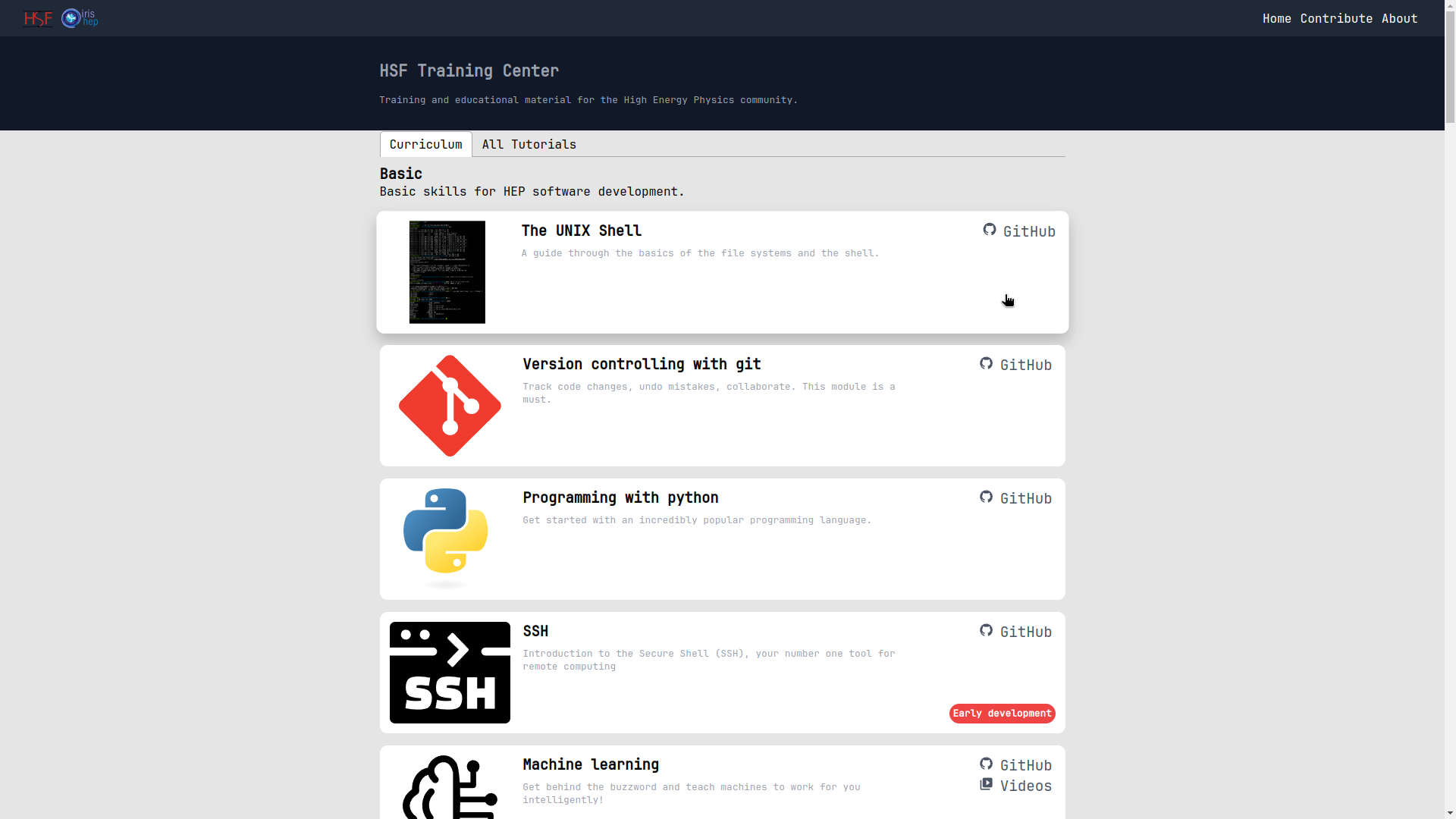
All Tutorials: You can browse all the tutorials available on the website with an in-depth and smart filter system.

- Each tutorial is designed to be interactive and user-friendly by the experts.
Contributing
Contributions of any kind are very welcome! There are various ways you can get involved:
Join our meetings to give feedback and discuss with us (details at our main page).
Bugs reports or feature requests: Directly open an issue on GitHub or (even better) submit a pull request to fix things.
Want to contribute your own module? We compiled a small list of recommendations here. Of course we always encourage you to talk to us early for a better coordination. There is also more technical information for creating a new module.
Want to help out at a workshop? More information on the different roles in our training events
Want to organize your own workshop? We got you covered